Seshcut

Curate less. Ride more.

Your skate clips deserve better than the camera roll.

Film the sesh. Seshcut sorts every try into makes, bails and slams, files it under its spot, and cuts the reel. Phone or action camera, nothing runs while you ride. It picks the clips up afterwards, on your phone.

Follow on InstagramComing soon to theApp Store
See it run

64 clips in. The sends out.

One sesh, start to finish. The camera roll goes in, every try comes back sorted, one tap files a clip, and the reel cuts itself. Then it all lands on your Journey.

More than a clip folder

It sorts the sesh. Then it keeps the ride.

Every skater knows the deal: film for an hour, land one trick, then spend the night scrubbing back through the whole thing to find it. Seshcut watches the clips for you and pulls the session apart. Landed it, bailed it, ate it. Review takes minutes, not the rest of your evening. The sort is free, every sesh, no cap. That is where it starts, though, not what it is for.

The Library

Film like you always do. Seshcut hands you the stacks: makes in one, slams in another, bails a glance from the trash. Every make at your local, one tap away.

The Seshcut

Your reel is already cut, ready to share while the sesh is still fresh. That's a seshcut. More keep coming: your biggest sesh, the trick you battled for.

The Journey

Years of shredding, read back like a mag you're actually in. Scroll back a season and watch the riding add up. Nothing filed by hand.

How it works

From camera roll to a Journey you keep.

Film how you always film

Phone, action camera, your mate's camera. Nothing to set up, nothing running while you skate. Open Seshcut afterwards and it gets to work on its own, and carries on in the background if you put the phone down. Or switch auto-scan on and it picks new clips up by itself, usually while the phone charges overnight. All read on your phone. Nothing uploaded.

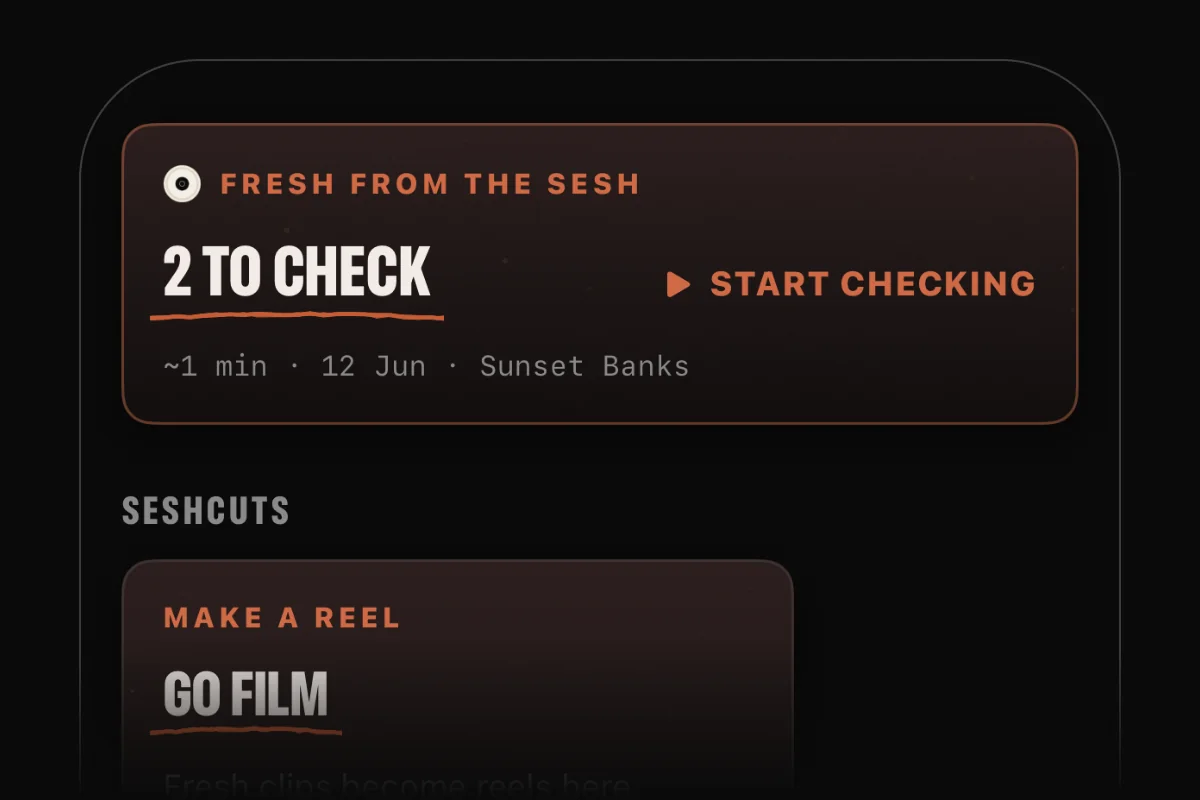
The Library masthead with two clips waiting, and a card offering to start checking them.

It reads the session

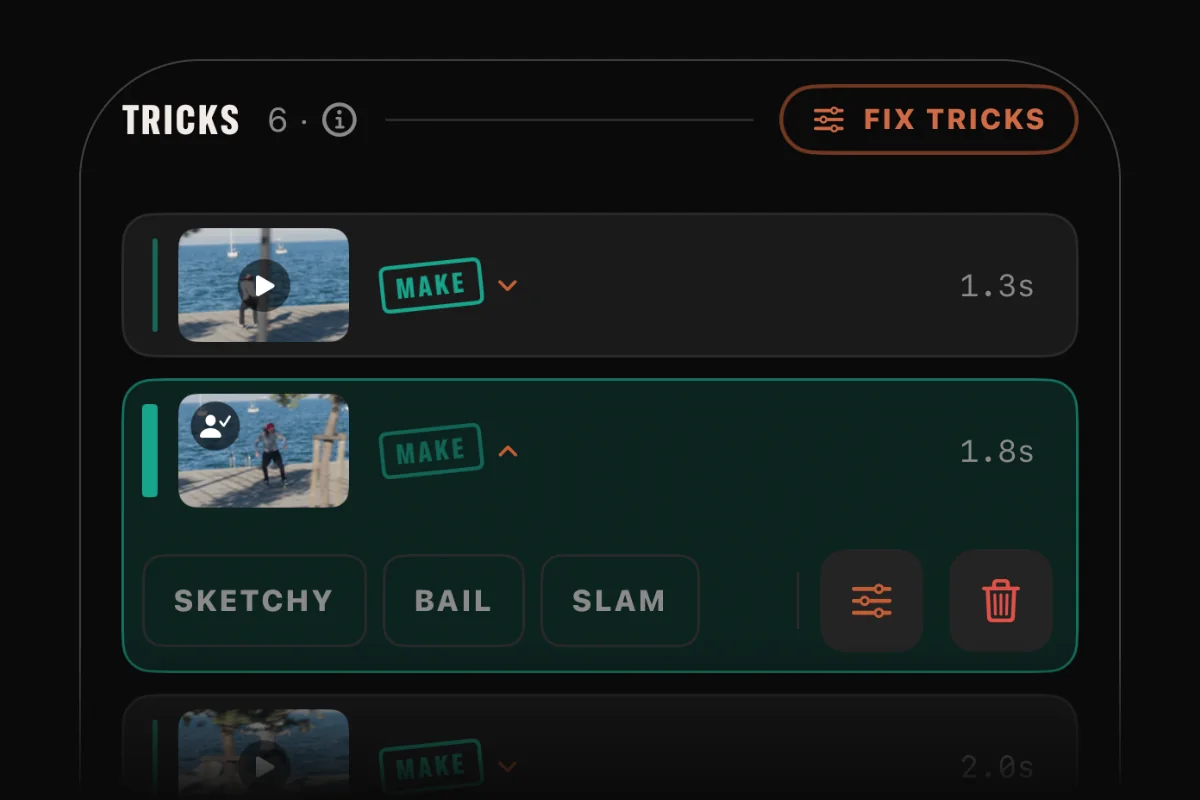
It watches every attempt and takes a first read, whether you propped the phone on a ledge or had a mate chase you down the line with the camera, and every trick comes back on its own instead of one long clip you cut up by hand. Hold a trick and it's stamped with your locked time. Wrong call? One tap fixes it, and only then does the clip land in your Library.

Three trick rows from a clip, each stamped with its outcome, one opened to change the call.

Cut the reel

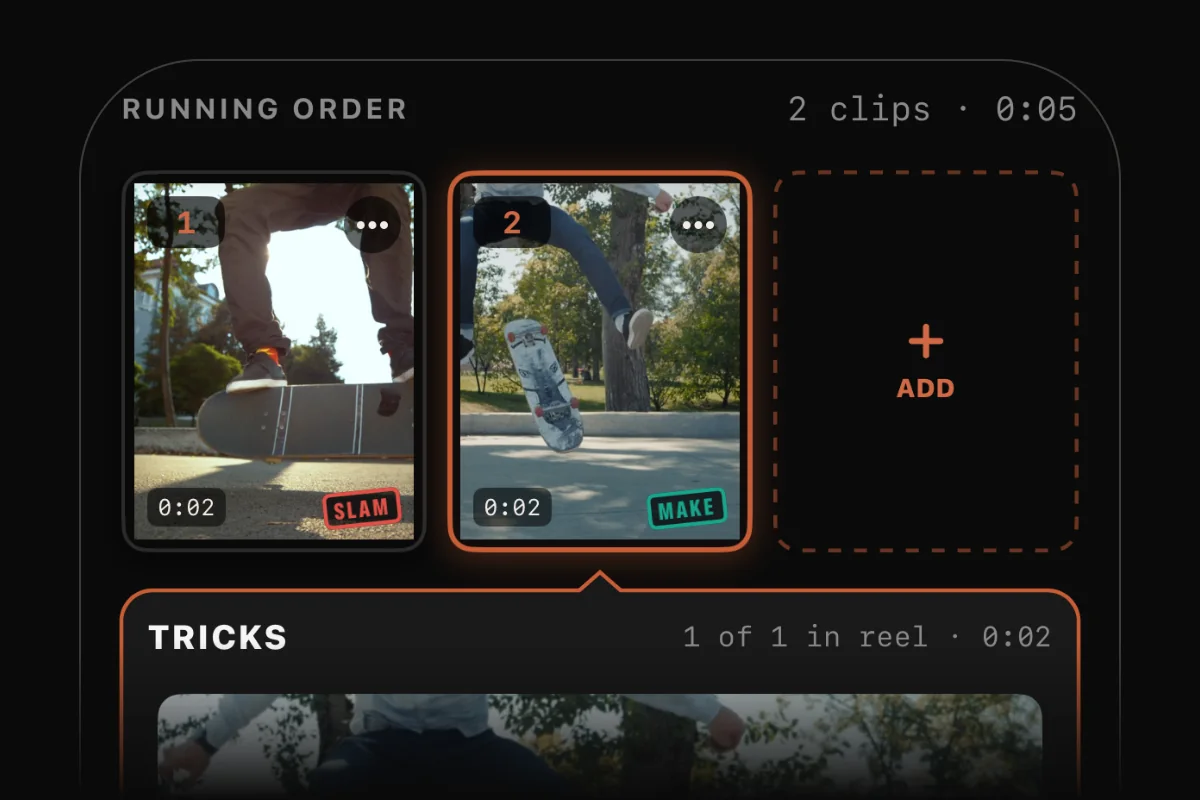
Landed one worth showing? Pick the clips and the reel cuts itself like an edit: the first bail shows the run-up, the next ones get straight to the landing, and the make plays out in full. Drag to reorder, tap a tile to choose which tries stay. It keeps rendering if you switch apps, and nothing on screen sits under Instagram's or TikTok's buttons. Corner mark on, ready to share before you leave the park. Or hand the sorted clips to your pro editor: every trick already trimmed and tagged by outcome, ready for your timeline.

The reel builder: clip tiles in running order, one opened to show its tries.

And it all adds up

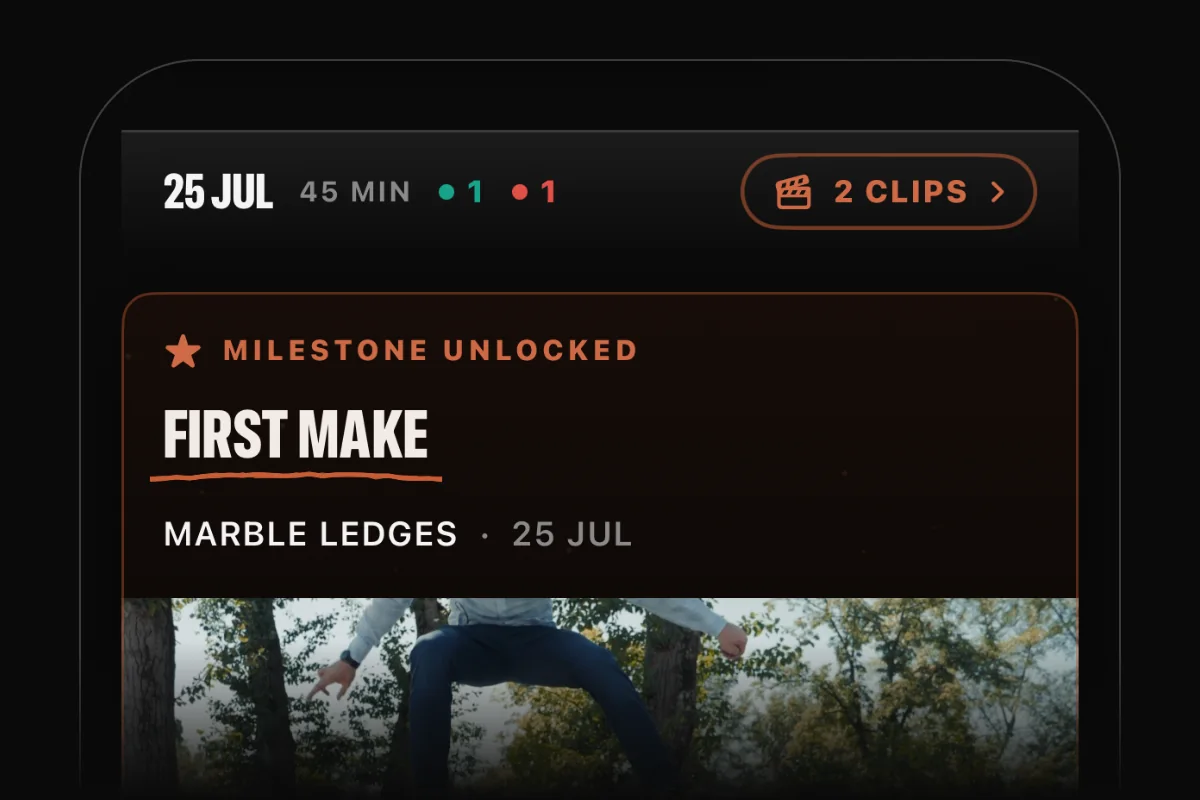
Every spot you ride pins itself to your map. Every sesh lands on your timeline. First makes, new spots and your biggest sessions turn up on their own.

A day on the Journey timeline, with a First make milestone unlocked beneath it.
Your clips, your phone

Read on your phone. Stays on your phone.

Every clip is read where it already sits, on your device, by the app itself. Nothing is uploaded to be read somewhere else, because there is nowhere else. There is no account, and no server that ever sees your footage.

Read on the device

Your phone does the watching. Your clips and the movement data read from them never leave it. Not even the guy who built it can see them.

On by your call

Auto-scan is opt-in and off by default, and it backs off in Low Power Mode. Your footage stays put.

What does leave the phone: counts

Anonymous counts of which features get used. Never your clips, labels, spots or location, and nothing that ties any of it to you.

Why Seshcut exists

Built by a skater.

It comes from a skater who passed the camera around the crew for years, until sorting the footage outgrew the skating. His own Journey is in there somewhere, next to everyone else's, unsorted. Seshcut is so yours gets kept and the homies get their clips. His way of giving back to the scene.

Plans

The sort is free. PRO pushes it further. You keep it rolling.

Why is the sort free? The footage is yours. Every skater should get to enjoy what they did on a board, not leave it buried in a camera roll. That costs nothing, and neither does the Journey it builds. PRO is for what comes after. Every Seshcut suggestion, not just the first. Lines cut down to the tricks. Your month and your year as reels, with the reel kit on every one. Your storage back from the bails. Cutting a part? Your sesh lands in Premiere, Final Cut or the free DaVinci Resolve with every trick already marked. One plan, billed yearly. It pays for whatever gets built next, by the one person building it.

FREE

Your clips, sorted. Your Journey, filed.

For every rider who films. No charge, no account, no card.

  • Auto-sort every session into Makes, Slams and Bails
  • Relabel and re-trim any clip with a tap
  • Locked time on the tricks you held
  • Your Journey: every spot on your map, every sesh on your timeline
  • Your first Seshcut of every sesh, cut for you and ready to share
  • Reels from any clips you pick, cut like an edit: bails kept short, the make in full. With the Seshcut corner mark
  • Back up your calls and spots to your own iCloud, if you want to
  • Every clip is read on your phone and never leaves it

PRO

Cut, reframe, and post it.

For riders who film every sesh and want reels ready to share and the storage back. Editors get their clips ready to edit.

  • Everything in FREE
  • Every Seshcut suggestion. The first cut is free. PRO runs the rest.
  • Fill the frame. Clips you filmed sideways become an upright reel, and the crop stays on you.
  • Reel kit. Slow-mo on the make, a length that fits the feed, the HUD with a LOCKED tag that clocks the grind or manual, and no corner mark. More as it lands.
  • Month and year reels. Your month and your year on the Journey, cut into a reel.
  • Pro editor export. Markers on every trick, ready for Premiere, Final Cut or the free DaVinci Resolve.
  • Bail cleanup. Free the space the bails are sitting on.
  • Action cuts on lines. A whole line down to just the tricks.
  • Tags. Sort the library your own way.
  • Pick from Files. Footage that never went through Photos.

PRO is one plan, billed yearly, and a first sub starts with 7 days free. The price is shown in the App Store, in your own currency. There's nothing to buy yet: Seshcut is coming soon to the App Store.

Questions

Straight answers.

Is this one of those apps that sends my clips off to a server?

No. Every clip is read on your iPhone, by the app itself. There is no server to upload to and no account. What does leave: anonymous counts of which features get used, a coordinate if you use the spot lookup, and, only if you switch backup on, your labels, tags and spot names to your own iCloud. None of it carries a frame of your footage.

Why use this instead of just scrolling my camera roll?

Because scrolling an hour of footage to find three makes is the worst part of filming. Seshcut watches it back for you and stacks the session by outcome, so you spend your time riding and posting instead of scrubbing. It's less a folder and more the friend who already knows which one you landed.

Does it work if someone films me skating alongside?

Yes. Prop the phone on a ledge or have a mate follow you with the camera. Seshcut reads both the same way, so a chase clip gets the same read as a locked-off one.

Do I need the app open while I'm filming?

No. Film with whatever you already use: the iPhone camera, an action camera, your mate's phone. Nothing runs while you're out. Open Seshcut afterwards and it starts reading the clips on its own, and carries on in the background if you switch to something else. Switch auto-scan on and it doesn't even need opening: it works through new clips while the phone sits idle, usually on the charger overnight.

What happens to my clips after I've checked them?

They file themselves. Every clip joins your Library under its outcome, and the sesh lands under the day and the place it went down. Name your local once and every clip you shoot there picks it up, so you never file anything by hand.

Is there an Android version?

iPhone first. That's what's launching. Android is in the works. Follow along and you'll hear the moment it lands.

Does it work for BMX, scooter, or snowboarding?

Give it a try. The read is tuned for skateboarding, but a trick is a trick, so some of your clips might just work. Wrong call? One tap fixes it. More sports are on the roadmap.

What do I need to run it?

An iPhone on iOS 18 or newer. The watching happens on-device, so it leans on recent hardware to stay fast. It steps aside in Low Power Mode, works on the clips you already have, and never copies your footage, so it costs you no extra storage.

If I delete a clip in Seshcut, is it really gone?

Seshcut only removes clips when you ask it to, and it works against your photo library, so a delete is a real delete. Keepers can be saved into their own album.

Can it sort clips I didn't shoot on this phone?

Yes. Bring in clips from the camera roll or import a folder of footage. As long as it's skateboarding, Seshcut reads it the same way. It does its best work on the raw clips as they came off the camera: the whole sesh, run-ups, bails and rolling away included. That is the footage it is tuned for. A clip that's already been cut down still gets sorted, just not as well.

How good is it at calling makes and bails?

Good enough that review is a skim, not a chore. Street works best. It flags the ones it isn't sure about instead of guessing, and a tricky one can still come back called wrong. One thing it never does is name the trick. Whether that was a kickflip or a heelflip is yours to say. It reads the try and calls the outcome.

What if it calls a make a bail?

Fix it in a tap. Every clip can be relabeled, and you can nudge where an attempt starts and ends. Your call always wins over the app's first read.

What does it cost?

Getting your sessions sorted costs nothing. PRO adds the reel kit, bail cleanup and the pro editor export, as one yearly plan, and a first sub starts with 7 days free. The price is shown in the App Store, in your own currency. There's nothing to buy yet: Seshcut hasn't launched on the App Store. Follow along and you'll be the first to know when it does.

Curate less. Ride more.

Seshcut is coming to iPhone. Follow along for the launch.